Vertigraph SiteWorx is one of the few earthwork takeoff programs with its price on the website, and it's a low one: US$2,999 to buy plus US$199 a year, or US$1,499 a year to rent. It opens DWG files directly and runs on a Windows PC. Bedrock's Earthwork Pro costs more per year. In return it reads the contour labels off a civil PDF, runs in a browser on Windows or Mac, and puts the dirt, paving and pipe onto the estimate your proposal is built from.
This page is about SiteWorx from Vertigraph, the Dallas company that makes takeoff software for excavation, site and utility contractors, not the other businesses that use the SiteWorx name.
What does Vertigraph SiteWorx cost?
Vertigraph's pricing page gives you two ways to pay. You can buy a perpetual license for US$2,999 and then pay for Full Serve at US$199 a year from the second year on. Read the fine print there: Vertigraph says the software stops working until Full Serve is renewed, so budget for it every year you use SiteWorx. Or you can rent it for US$1,499 a year. Either way there's a 14-day trial with no card.
Bedrock Premier, which includes Earthwork Pro, is US$249 a month or US$2,490 a year in the US (local prices are on our pricing page). Our trial is 7 days and does need a card.
A worked example for one estimator over three years: buying SiteWorx comes to US$2,999 + US$199 + US$199 = US$3,397, renting it is US$1,499 x 3 = US$4,497, and Bedrock Premier on the yearly plan is US$2,490 x 3 = US$7,470. Bought outright, SiteWorx is about US$4,000 cheaper over three years. What Premier adds for that money is the rest of Bedrock: takeoff for other trades, assemblies, the cost database, estimates, proposals, the CRM, budgets and schedules. If you pay for an estimating program on top of SiteWorx today, add its cost to the SiteWorx figure before you compare.
Typing elevations, or reading them
In SiteWorx you pick a contour with one click from a vector PDF or a DWG, and trace the lines on a scanned plan. Then you type the elevations in, helped by an elevation-step key. When the engineer's DWG carries elevations on its layers, SiteWorx can bring them in with the lines, which saves the typing.
Earthwork Pro starts from the PDF. It reads the elevation labels and ties each one to its contour, including labels the CAD export drew as linework instead of text. Dashed and broken contours are joined back into single lines, and spot grades marked FS, TW, TC and FF are read off the sheet. A contour that's missing its label gets an elevation from its neighbors and is flagged for review. Runs of unlabeled contours are numbered by dragging a line across them, and Auto identify (Beta) sorts existing from proposed for you to check.
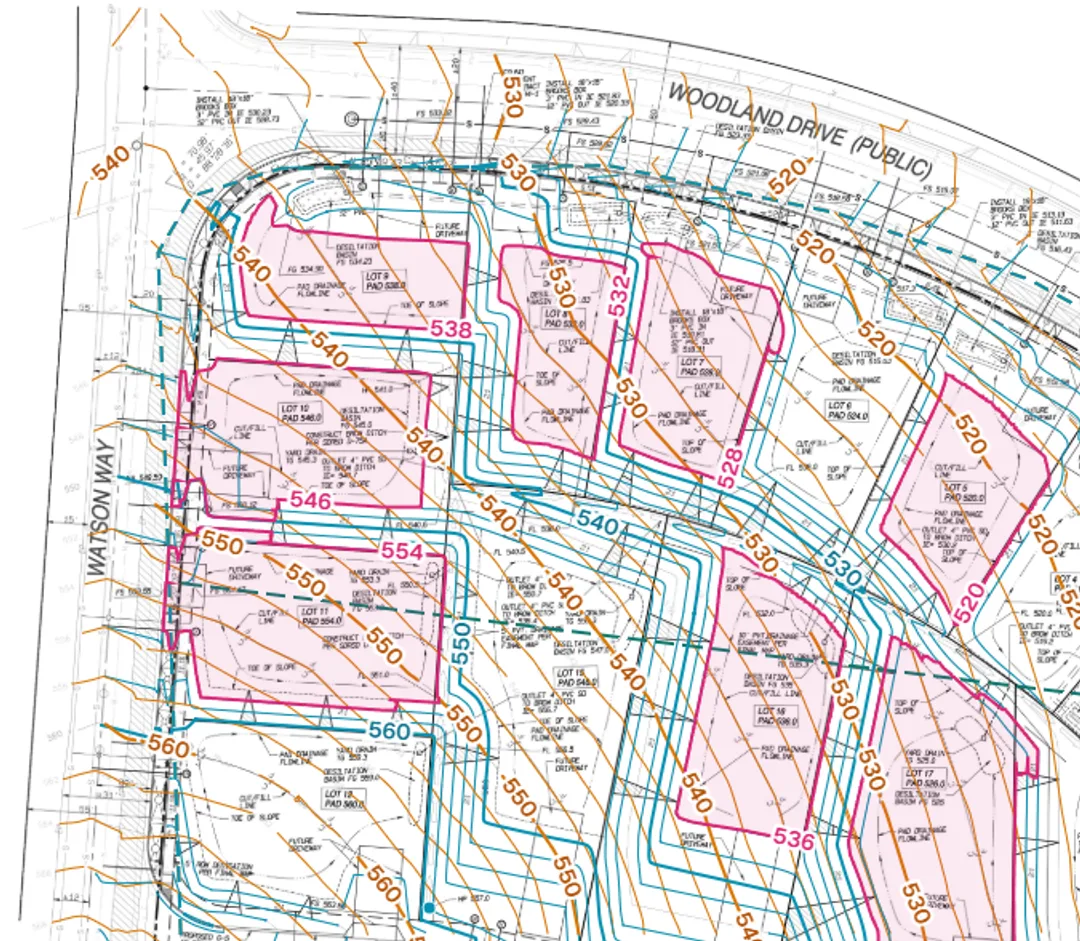
So the split comes down to what your engineers send. If you get DWG files with elevations on the contour layers, SiteWorx has the shorter path, because Bedrock can't open a DWG; you save it as DXF first. If you get PDFs with a few hundred labeled contours, reading the labels beats typing them.
Soil types and pavement sections
SiteWorx handles two jobs that estimators often end up doing in a spreadsheet. It splits the cut by soil type from the borings, and it works out asphalt, base course and subgrade layers inside the program.
Earthwork Pro covers the same ground in its own way. Soil borings and layers are part of the model, and it can read the boring logs from a geotechnical report for you to check instead of retyping them. Paving and site concrete are taken off by section, with lifts and coats, curbs, flatwork, joints and counts, and the subgrade cut and fill is figured to the bottom of each section.
Getting the surface to the field
Once control points are set, SiteWorx exports the surface as points, in CSV or DWG. Vertigraph doesn't list native machine-control formats, so if your machines or your surveyor need something specific, check with Vertigraph before you rely on it.
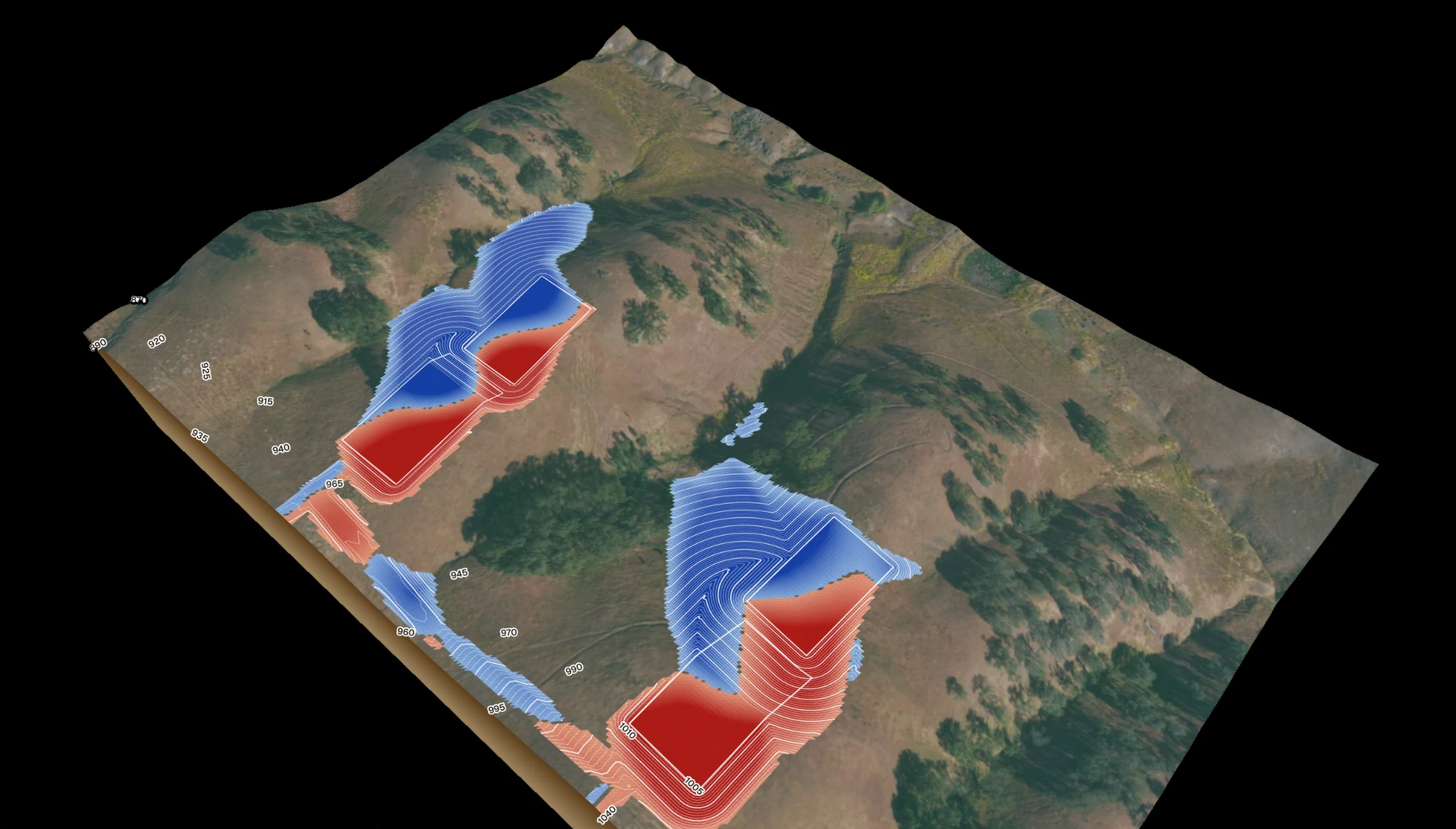
Earthwork Pro's field download is one ZIP: existing and proposed surfaces as LandXML 1.2 and 3D-face DXF, linework as DXF R12 and LandXML, stake points as CSV (PNEZD or PENZD), a Google Earth KMZ, your surveyor's calibration file passed through untouched, a README and a checksum manifest. It's sorted into a folder per brand: Trimble, Cat, Topcon/Komatsu/Deere, Leica, Unicontrol and iDig. These are open formats, and the brand's office software or your dealer makes the native machine file. The practical difference from SiteWorx is that the surveyor gets surfaces and linework, not only points.
SiteWorx and Earthwork Pro in one table
| Vertigraph SiteWorx | Bedrock Earthwork Pro | |
|---|---|---|
| Price | US$2,999 plus US$199 a year from year two, or US$1,499 a year | US$249 a month or US$2,490 a year, in Premier |
| Trial | 14 days, no card | 7 days, card required |
| Runs on | Windows 10 (64-bit) or 11; 8 GB RAM, 16 GB recommended | Web browser on Windows or Mac |
| DWG | Opened directly; layers can carry elevations | Save as DXF first |
| Contour elevations on a PDF | Typed, with an elevation-step key | Labels read and tied to their contours |
| Surface export | Points, as CSV or DWG | LandXML 1.2 and 3D-face DXF surfaces, stake points, KMZ |
Who should buy SiteWorx
SiteWorx makes sense when takeoff happens at one Windows desk, your engineers send DWG, you'd rather own the license than rent, or you need to work without an internet connection. For an excavation contractor that mainly needs yards and pavement layers at a low, published price, it's a reasonable buy.
Who should look at Bedrock
Bedrock fits when bids arrive as civil PDFs, someone on the team works on a Mac, or you want the earthwork, paving, curbs and utility trenches on one estimate. You pick which quantities to send and they appear on the job's estimate as line items labeled Earthwork Pro, priced with your own cost data. Send again after a revision and lines you've already priced stay as they are. The proposal is built from that same estimate.
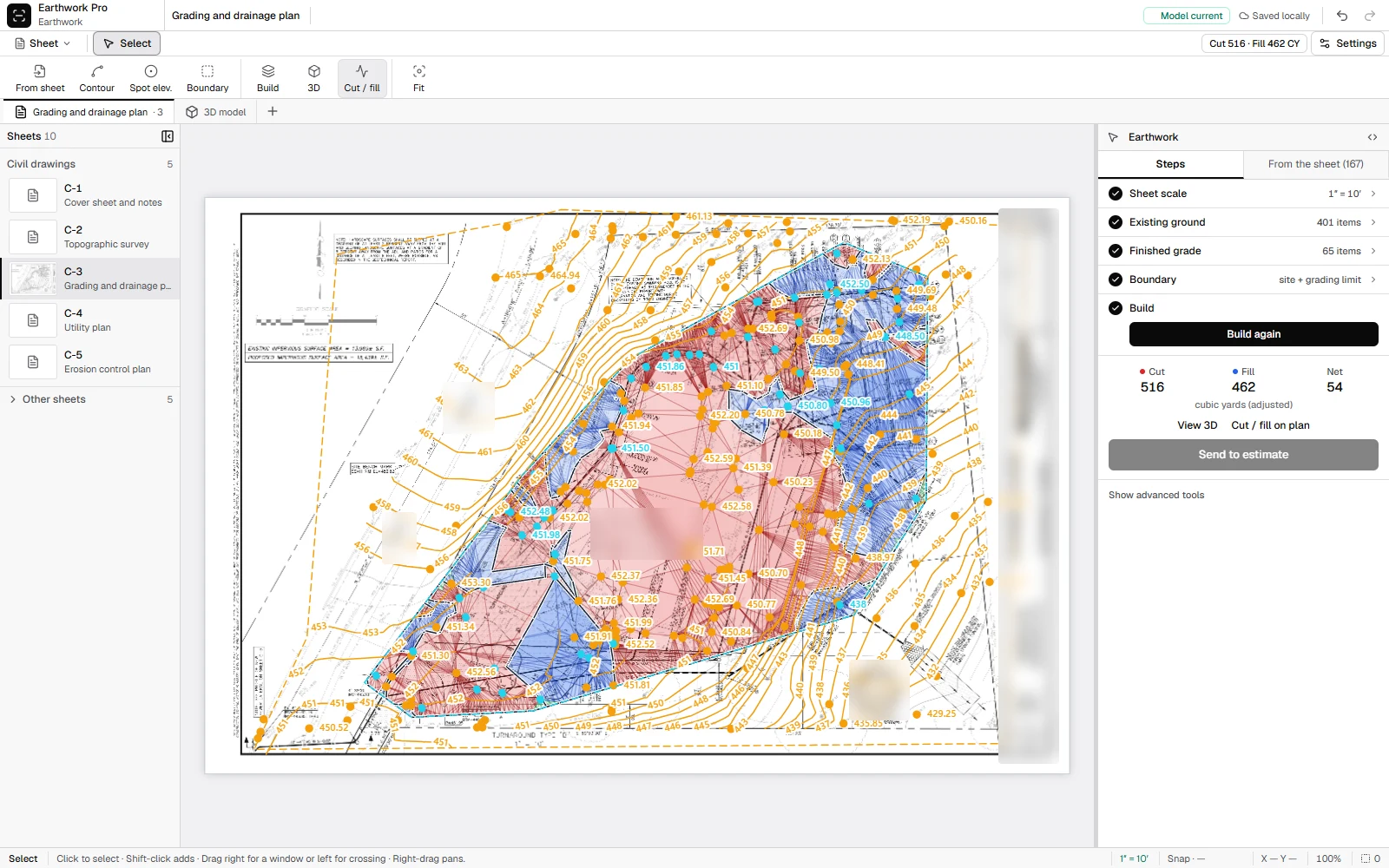
The fairest test is a job you've already taken off in SiteWorx. Upload the same grading sheet to a 7-day Bedrock trial, read the contours, draw the same limits and compare the yards. How Earthwork Pro handles a civil PDF is on the Earthwork Pro page.