InSite Elevation Pro is a good earthwork program with a loyal following, and a lot of excavation estimators learned takeoff on it or on SiteWork before it. If your estimator sits at a Windows 11 workstation with two monitors and wants a dedicated takeoff tool with training and support included, it's a solid pick. If your team works on laptops, some of them Macs, and you want the dirt, the paving and the pipe priced in the same estimate the proposal comes out of, Bedrock's Earthwork Pro fits better.
Still on SiteWork?
InSite ended support for SiteWork on December 31, 2023. Elevation Pro is its replacement, and InSite describes it as a ground-up rewrite rather than an update. Perpetual SiteWork licences keep running, but without updates or support, and subscribers have been moved across.
So if you're still running SiteWork, you're on software that won't get fixes for new Windows versions or new plan formats. You'll be learning a new program either way. It's a fair moment to look at more than one.
What Elevation Pro does well
We'll start here, because it's the honest place to start.
- Training and support are part of the subscription. Unlimited live online training, classroom training and on-demand video are included, and reviewers mention fast support, weekends included. One catch: InSite's support needs an active subscription, the Elevation 101 course completed, and the latest version installed.
- Vector contours come in cleanly. Elevation Pro picks up vector linework from a PDF, including dashed contours, and InSite has had one-click whole-line selection since SiteWork 11 in 2012.
- 3D Live shows the model as you build it, which several reviewers say catches mistakes before they reach the bid.
- TrenchVision 3D handles utility takeoff with several trench shapes, more than one pipe per trench, soil strata and collision checks, and it's included in the subscription.
- It works with the machines. InSite says its models export to any major machine-control system; it has named Cat, Leica, Komatsu, Topcon and Trimble.
Reading the plan
This is where the two take different approaches.
Elevation Pro brings in the contour linework from a vector PDF or a CAD file, and you work with it from there. Scanned (raster) plans mean drawing more of the lines yourself, which some reviewers mention. On elevations, InSite wrote in August 2026 that using AI for contour entry was something it was exploring, and its announced 2027.0 release adds an AI chat assistant and an AI pre-bid job review. We haven't seen a release notice for 2027.0 yet, so check with InSite on what's shipped.
Earthwork Pro reads the elevation labels off the sheet as well as the lines. It ties each label to its contour, reads labels that the CAD export drew as linework instead of text, joins dashed and broken contours, and reads spot grades such as FS, TW, TC and FF. Auto identify, which is in Beta, sorts the contours into existing and proposed for you to check. A contour with a missing label gets its elevation from its neighbours and is flagged so you look at it, and a run of unlabeled contours is numbered by dragging a line across them.
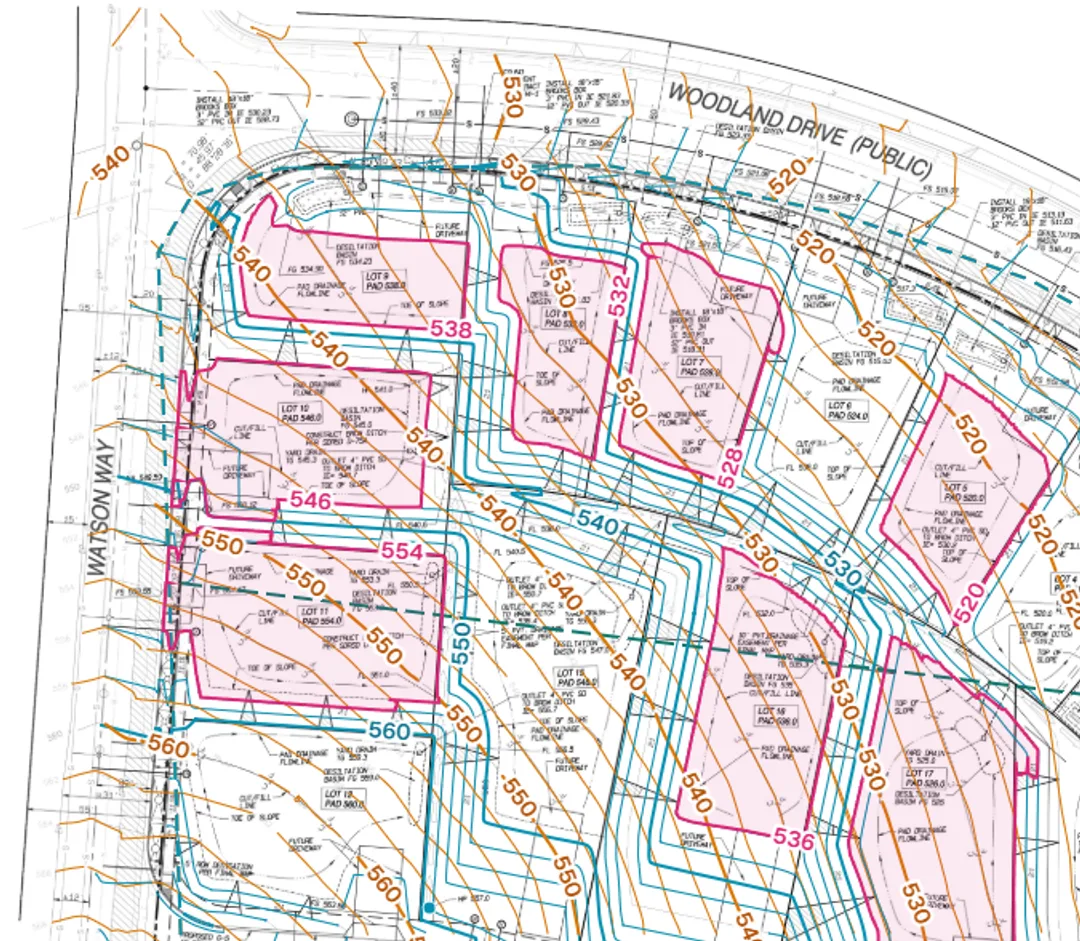
On a clean vector plan, both get you to a surface. The difference shows on plans with hundreds of labeled contours, where typing elevations is most of the work.
What computer do you need?
InSite's system requirements are specific:
- The latest 64-bit Windows 11. Virtual machines such as Parallels or VMware aren't supported, and neither is Windows on ARM.
- A recent i7, i9, Ryzen 7 or Ryzen 9 processor, 16 GB of RAM (32 GB recommended), a dedicated graphics card with at least 2 GB, and a local SSD.
- Two monitors are recommended, and InSite says a touchpad isn't suitable; use a mouse.
There's no Mac version listed, and because virtual machines aren't supported, running it on a Mac through Parallels isn't an option either. Licensing is cloud-based and works offline for up to 30 days. Each licence is one concurrent user.
Earthwork Pro runs in a web browser on Windows or Mac. A current laptop or desktop is enough, so an estimator can open a job at the office, at home or at the GC's office without a dedicated workstation.
Price and what's in it
Elevation Pro is sold as an annual subscription that includes training, support and updates. InSite links a price sheet from its site. Third-party software directories list it from about $3,900 a year.
Bedrock Premier, which includes Earthwork Pro, is $249 a month or $2,490 a year in the US (other countries are on our pricing page), with unlimited team seats. The same subscription covers Bedrock's takeoff for other trades, assemblies, the cost database, estimates, proposals and the CRM.
| InSite Elevation Pro | Bedrock Premier | |
|---|---|---|
| Listed price | From about $3,900 a year (third-party listings) | $2,490 a year, or $249 a month |
| What it covers | Earthwork and utility takeoff, training, support, updates | Earthwork Pro plus takeoff, estimating, proposals and CRM |
| Training | Live online, classroom and video, included | Tutorial videos in the app, included |
| Runs on | Windows 11, 64-bit, dedicated graphics card | Web browser, Windows or Mac |
| Users | One concurrent user per licence | Unlimited team seats in Premier |
| Reads elevation labels from the PDF | Not stated by InSite | Yes |
| Utilities | TrenchVision 3D, included | Built in |
| Estimate and proposal | Reports; HeavyBid, TCLI and Bid2Win catalog integrations announced | In the same app |
Trenches
Both handle utility takeoff, and both include it in the price.
TrenchVision 3D is a strong tool: several trench shapes, multiple pipes in one trench, strata and collision checks, with KMZ, PDF and DWG exports.
In Earthwork Pro you lay out storm, sewer, water, gas, electric and communications runs with their structures (five structure types), then set each trench: depth by inverts or by cover, dug before or after grading, side slopes of vertical, half to one, one to one, one and a half to one or working room each side, and bedding and pipe zone backfill. Depth brackets default to 4, 6, 8 and 10 ft and you can change them. Trench excavation and bedding go to the estimate with the rest of the site.
Getting the yards into the bid
InSite's reports are where most of its users hand off to the estimate today. InSite has announced a materials catalog with integrations for HCSS HeavyBid, The Construction Link and Trimble Bid2Win, which will help if you already use one of those.
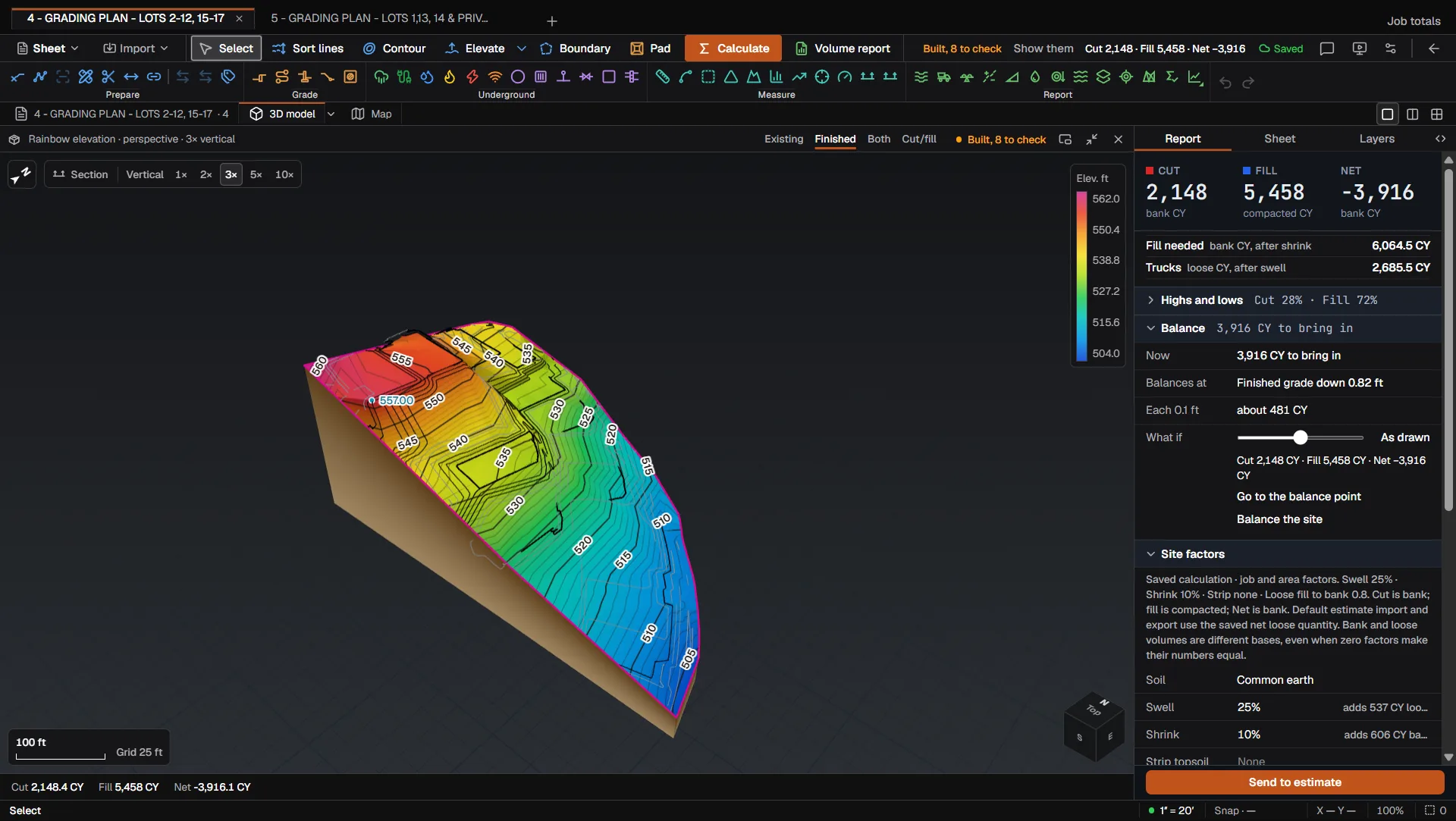
In Bedrock there's no hand-off. You pick the quantities to send (bank cut, fill, import or export, fine grade, strip and topsoil, over-excavation, trench excavation and bedding, pad area, wall face) and they appear on the job's estimate as line items, priced with your own cost data. If the engineer revises the plan and you send again, lines you've already priced aren't overwritten. Then the same estimate builds the proposal and, once you win it, the job budget.
Which one should you pick?
Pick InSite Elevation Pro if earthwork takeoff is a dedicated seat in your company, your estimator works at a Windows 11 workstation, you value training and phone support as part of the price, or you already run HeavyBid and want InSite's catalog integration when it lands.
Pick Bedrock if you bid from civil PDFs with lots of labeled contours, your estimators use laptops or Macs, or you want the earthwork, paving, concrete and utilities in one estimate and one proposal at a published price.
The cleanest test is a plan you've already taken off in InSite: upload the same grading sheet to a 7-day Bedrock trial, read the contours, draw the same limits and compare the cut and fill. More on how it works on the Earthwork Pro page.