For a one-person shop that runs a cut and fill a few times a month, Kubla Cubed is hard to beat on price. There's a free edition, the paid version is US$295 a year, and it runs offline on a Windows PC. Bedrock's Earthwork Pro costs more. What the extra buys is time on labeled plans and one less hand-off: it reads the contour labels off the PDF for you, runs on a Mac as well as Windows, and puts the yards straight onto the estimate and the proposal.
How much does Kubla Cubed cost?
Kubla publishes its prices, which more software companies should do. Its price page lists a free edition with restrictions (check Kubla's site for what it leaves out), a subscription at US$295 a year, and a perpetual license at US$741 that covers the current version with one year of support. Teams of five or more can ask for an Enterprise quote.
Bedrock's Earthwork Pro comes with Bedrock Premier: US$249 a month or US$2,490 a year in the US, with local prices on our pricing page. The trial is 7 days and needs a card.
Here's a worked example for one estimator over three years:
- Kubla Cubed on subscription: US$295 x 3 = US$885.
- Kubla Cubed perpetual: US$741 up front. Ask Kubla what support and upgrades cost after the first year.
- Bedrock Premier, paid yearly: US$2,490 x 3 = US$7,470.
So Bedrock costs about US$6,500 more over three years, a little over US$180 a month. Premier also covers takeoff for the other trades, assemblies, the cost database, estimates, proposals, the CRM, budgets and schedules. If you already pay for an estimating program, part of that gap is money you spend somewhere else today. If you don't, and earthwork is an occasional add-on, Kubla's price wins.
Getting elevations onto the contours
Kubla brings lines in from a vector PDF or a DWG or DXF file, and you filter them by layer, color and line weight so that only the contours come through. Then you set the elevations. Kubla's SME tool speeds that up: select a group of contours, give it a start elevation and an interval, and it numbers the group. On a tidy plan with a steady interval that's quick. On a hillside with an index label every fifth line and contours broken by text, there's more selecting and checking to do.
Earthwork Pro reads the elevation labels off the sheet and ties each one to its line, including labels the CAD export drew as linework rather than text. It joins dashed and broken contours back into single lines. Where a contour has no label, it takes the elevation from the contours on either side and flags it so you look at it. Spot grades marked FS, TW, TC and FF are read too, and Auto identify (still in Beta) sorts the contours into existing and proposed for you to check.
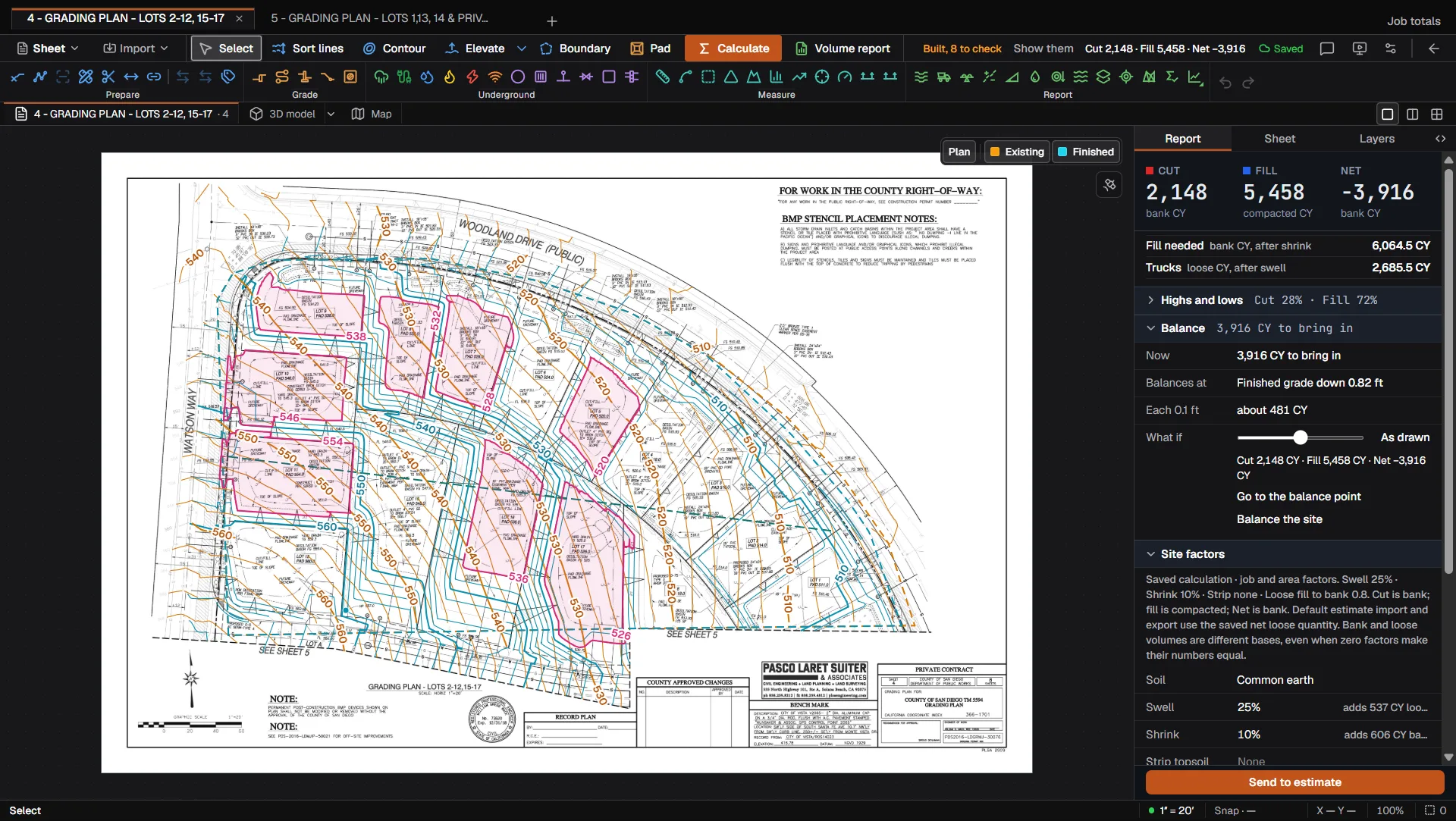
For a run of contours with no labels at all, you drag a line across them and they're numbered from the interval. That works a lot like Kubla's SME tool. The gain is on labeled plans, where you review elevations instead of entering them. Both tools still need a person to check the surface before it gets priced.
Windows, Mac and working offline
Kubla Cubed is a Windows program, and Kubla says a Mac needs a virtual machine to run it. It installs on the PC and works offline, which counts if you do takeoffs in a site trailer with no signal or simply want your tools to keep working when the internet doesn't.
Earthwork Pro runs in a web browser on Windows or Mac, with nothing to install. An estimator on a MacBook and an owner on a Windows desktop open the same job.
Where they differ
| Kubla Cubed | Bedrock Earthwork Pro | |
|---|---|---|
| Price | Free edition (restricted); US$295 a year; US$741 perpetual | US$249 a month or US$2,490 a year, in Premier |
| Runs on | Windows; Mac through a virtual machine | Web browser on Windows or Mac |
| Install and offline | Installs on the PC; works offline | Nothing to install |
| Contour elevations | You set them; SME numbers a group from a start elevation and interval | Labels read from the PDF and tied to their lines |
| DWG and LandXML import | Yes | No. PDF, DXF, MicroStation V7 DGN and survey points; save DWG as DXF |
| Coordinate systems and Google Earth export | Announced for Kubla Cubed 2026, in development | Yes: 754 coordinate systems and a KMZ export |
What's coming in Kubla Cubed 2026
In August 2026 Kubla published a first look at Kubla Cubed 2026 with point cloud import (LAS, LAZ and E57), coordinate systems and Google Earth export, and said it was still in development. Check with Kubla for a release date before you count on those.
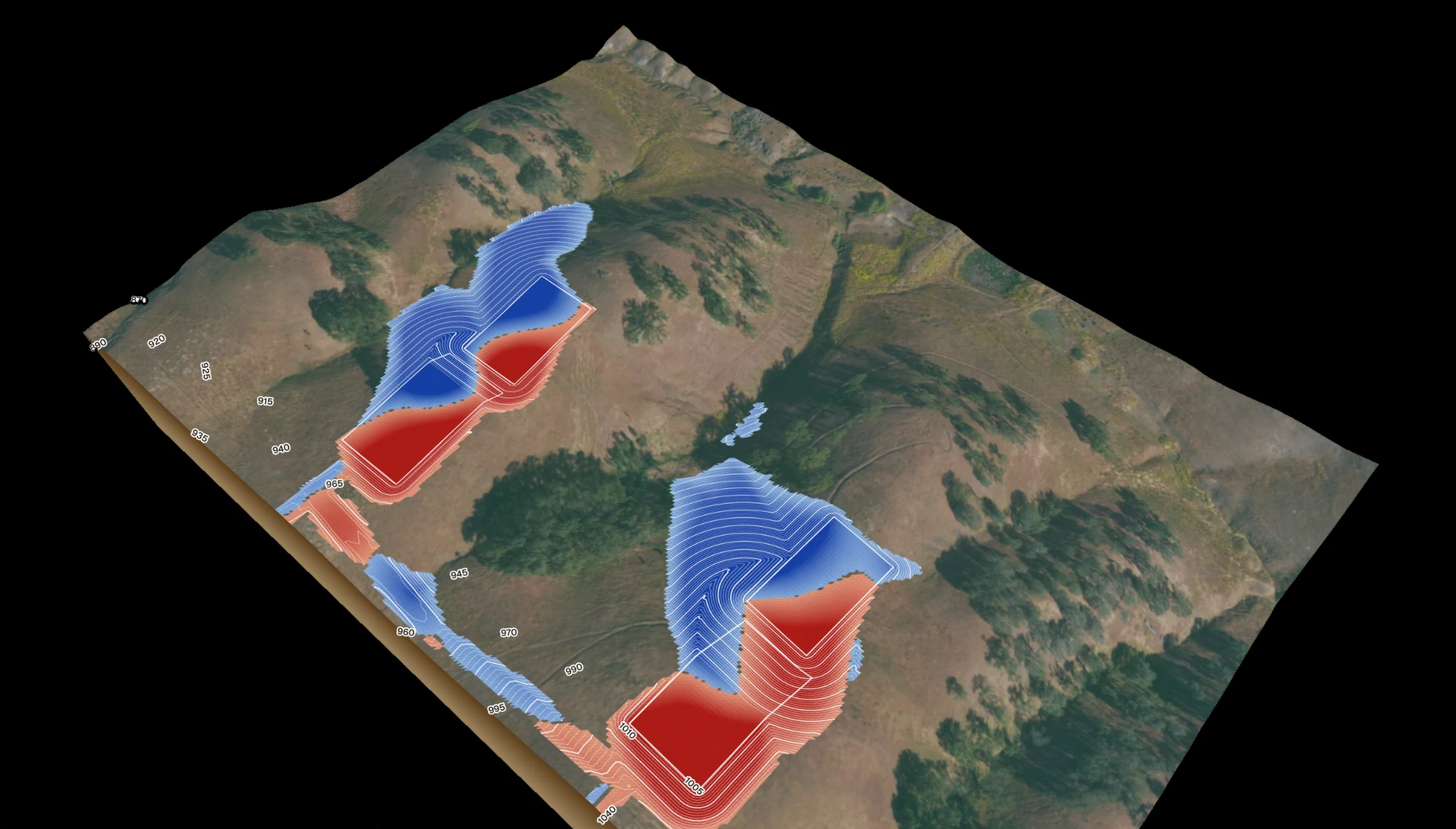
Earthwork Pro already ties a job to one of 754 coordinate systems, lays the plan and the cut and fill over satellite imagery, and exports a Google Earth KMZ. It doesn't import point clouds.
For machine control, Kubla exports LandXML and DWG or DXF, plus gridded points. Earthwork Pro's field download is one ZIP of open files (LandXML 1.2 and 3D-face DXF surfaces, DXF R12 linework, stake points, a KMZ) sorted into a folder per brand, and the brand's office software or your dealer makes the native machine file.
When Kubla is the right call
- You work alone, and cut and fill is an occasional job, not the core of your bids.
- Your engineers send DWG or LandXML. Kubla opens both; Bedrock opens neither (a DWG has to be saved as DXF first).
- You need to work offline on Windows.
- You want demolition, trench, paving strata and stockpiles in a low-cost tool. Kubla covers all four.
When Bedrock earns the difference
- Your plans come as PDFs with hundreds of labeled contours, and entering elevations is where your takeoff hours go.
- Someone on the team works on a Mac.
- You price more than dirt: paving lifts and coats, curbs, flatwork, storm and sewer trenches with bedding, all on one estimate.
- You want the quantities on the bid without retyping them.
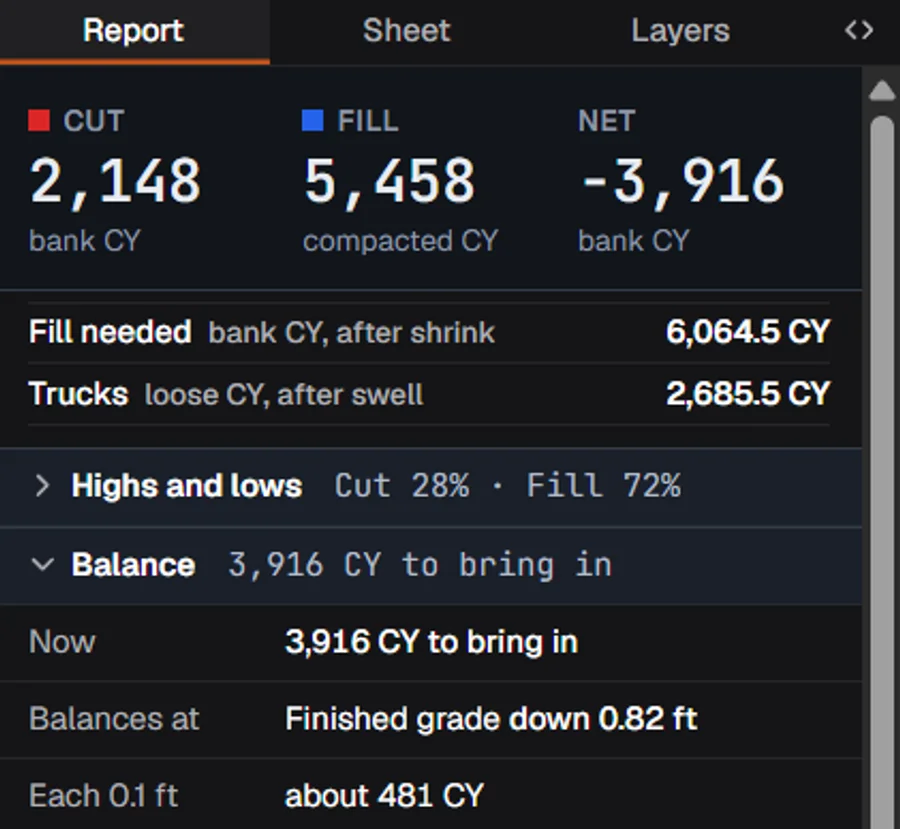
That last one is easy to underrate. In Earthwork Pro you pick the quantities to send (bank cut, fill, net import or export, strip and topsoil, fine grade, over-excavation, trench excavation and bedding) and they land on the job's estimate as line items labeled Earthwork Pro, priced with your own cost data. If the engineer revises the plan and you send again, a line you've already priced isn't overwritten. The proposal comes out of the same estimate. If you price in a spreadsheet today, Kubla's numbers have to get from one program to the other, and that copy step is where a typo turns into a bad bid.
Try it on a job you ran in Kubla
Take a job you've already run in Kubla Cubed. Upload the same grading sheet to a 7-day Bedrock trial, set the scale, read the contours, draw the same limits and compare the cut and fill. If the numbers agree and the labels saved you an afternoon, you can put a figure on what the extra cost buys. If they didn't, stay with Kubla. There's more on how Earthwork Pro reads a civil PDF on the Earthwork Pro page.