Carlson Takeoff is CAD software for takeoff and machine data. If your people already work in AutoCAD, the engineers send you DWG files and you'd rather own a licence than rent one, it's a sensible pick, and Bedrock won't beat it on native DWG. If your bid sets arrive as PDFs and your estimators don't want to run CAD to price dirt, Bedrock's Earthwork Pro does the takeoff in a browser and puts the yards on the same estimate as the paving and the pipe. The catch on our side: Bedrock can't open a DWG yet, so you save it as DXF first.
Does Carlson Takeoff need AutoCAD?
It needs a CAD program, though not necessarily AutoCAD. Carlson sells Takeoff two ways: the OEM version has AutoCAD built in, and Suite runs on a bundled copy of IntelliCAD or on an AutoCAD you already have. The 2026 release lists Windows with AutoCAD 2026 or IntelliCAD 13.1, and there are add-on modules for CADnet, Trench, GeoTech and Construction.
That design suits a CAD user. The drawing is a DWG, the commands are CAD commands, and what you already know about layers and snaps carries over. For an estimator who has never opened AutoCAD, it likely means learning a CAD program along with the takeoff.
Earthwork Pro is built the other way round. It's a browser app on Windows or Mac with nothing to install, and the plan set, the takeoff and the estimate live in the same job.
Getting elevations onto the contours
Both tools take contour elevations from labels, starting from different places.
Carlson digitizes PDF, TIF and JPG sheets and can trace PDF linework automatically. Its Assign Contour Elevation From Contour Labels command works on text entities in the drawing, and it asks you when a label is ambiguous. That's a careful way to handle it.
Earthwork Pro reads the labels on the PDF itself: text labels, and also lettering that the engineer's CAD drew as linework. It ties each label to its contour, joins dashed and broken contours into single lines, fills a missing label from the neighbouring contours and flags it for review, and reads spot grades such as FS, TW, TC and FF. Auto identify (Beta) sorts what it found into existing and proposed for you to check. Contours with no labels at all are numbered by dragging a line across them.
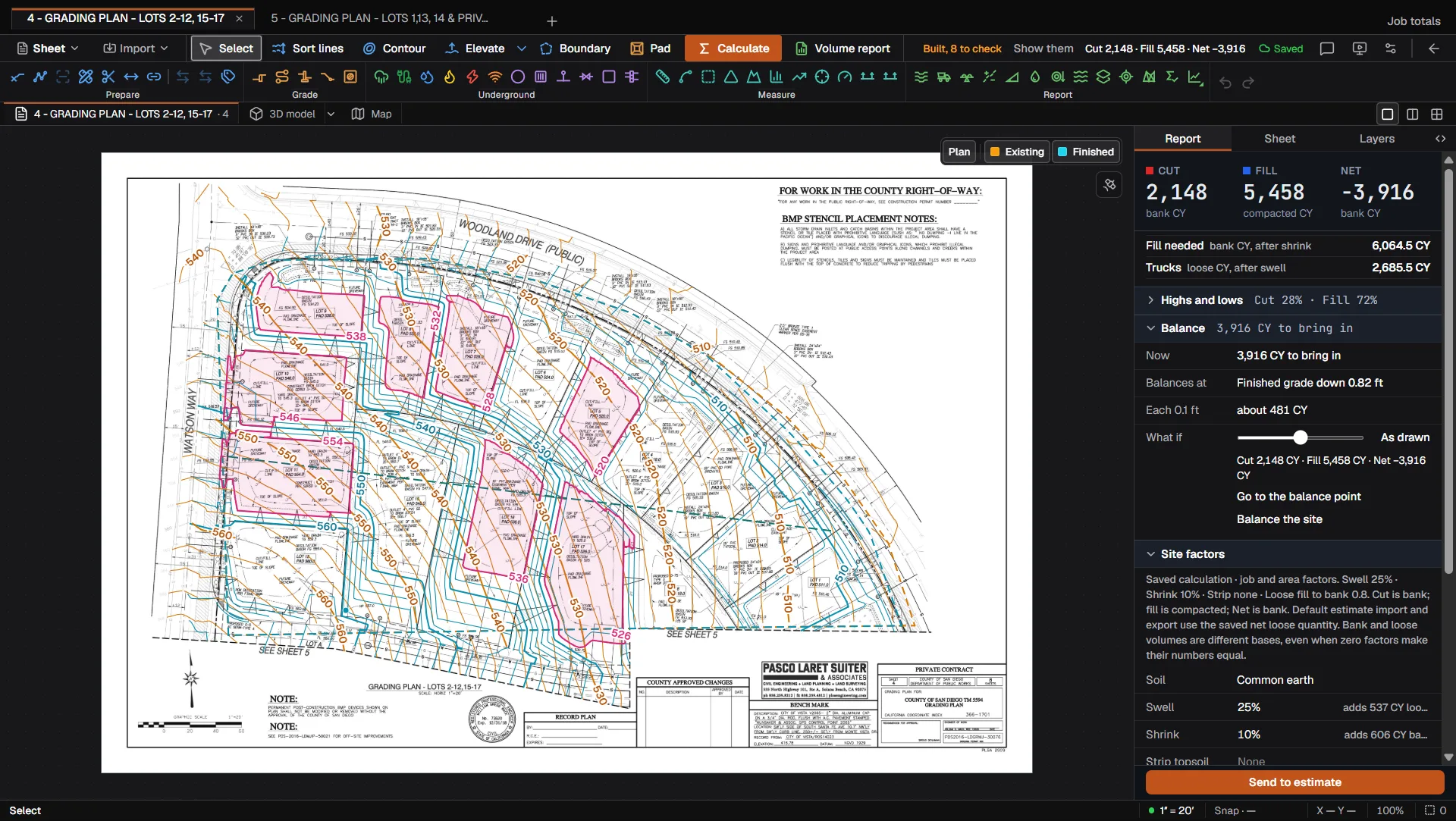
The case to test is a PDF whose numbers are lines. A text-based command has no text entity to read there, so if a lot of your plans are like that, ask Carlson how it handles them.
DWG, DXF and LandXML
This is where Carlson is simply ahead. It works in DWG natively and imports DXF, DGN, LandXML, PDF and images. If the engineer will send you the CAD file, Carlson opens it as it is.
Earthwork Pro imports civil PDFs, DXF (text or binary, including blocks and splines), MicroStation V7 DGN, and survey points in CSV, TXT, XYZ, PTS or ASC files (PNEZD, PENZD or NEZ order). It doesn't import DWG or LandXML. A DWG has to be saved as DXF before it comes in, and a LandXML surface can't come in at all today.
If most of your work arrives as DWG and LandXML, that's a conversion or a gap on every job, and Carlson is the better fit. If most of it arrives as PDF, it rarely comes up.
Machine control
Carlson exports machine-control surfaces for Topcon, Trimble and Leica, according to its product page, and its brochure adds Carlson Grade and CAT AccuGrade.
Earthwork Pro exports open files. You get one ZIP with LandXML 1.2 and 3D-face DXF surfaces, DXF R12 and LandXML linework, stake points as CSV, a Google Earth KMZ, your surveyor's calibration file passed through, and a SHA-256 manifest, sorted into a folder per brand: Trimble, Cat, Topcon/Komatsu/Deere, Leica, Unicontrol and iDig. The brand's office software or your dealer turns those into the native machine file. If you prepare machine files in house every week, Carlson's brand exports are the shorter path; check with Carlson which file each brand gets.
How much does Carlson Takeoff cost?
Carlson doesn't publish its prices. Third-party listings put Carlson Takeoff at about US$7,500 for Suite and US$9,000 for OEM, as one-time purchases, and Carlson still sells perpetual licences. Carlson also describes its support as unlimited and free.
An example for one company over three years, using those figures:
- Carlson Takeoff Suite on the bundled IntelliCAD: about US$7,500 up front. Ask Carlson what moving to new versions costs, because that's the other half of a perpetual price.
- Bedrock Premier: US$2,490 a year, so US$7,470 over three years, with unlimited team seats and estimating, proposals and the CRM in the same subscription.
On software cost alone, one Carlson licence and three years of Premier come out about even, and if you don't pay for upgrades, the perpetual licence is ahead from year four. The comparison changes if you'd need more than one Carlson licence, or if pricing the estimate is the slow part of your week rather than the takeoff.
The differences in one table
| Carlson Takeoff | Bedrock Earthwork Pro | |
|---|---|---|
| Runs on | Windows, inside AutoCAD 2026 or IntelliCAD 13.1 | Web browser on Windows or Mac |
| Licence | Perpetual; about US$7,500 Suite or US$9,000 OEM (third-party listings) | Subscription; US$249 a month or US$2,490 a year, unlimited team seats |
| DWG | Native | Save as DXF first |
| LandXML import | Yes | No |
| Contour elevations from labels | From text entities | From text and from lettering drawn as linework |
| Machine control | Surfaces for Topcon, Trimble and Leica; Carlson Grade and CAT AccuGrade in the brochure | Open LandXML 1.2, DXF and stake points, a folder per brand |
Who should stay with Carlson, and who should try Bedrock
Stay with Carlson if your estimators are CAD users, the engineers on your work send DWG and LandXML, you want to own the licence, or you build machine surfaces in house. Bedrock doesn't answer those today.
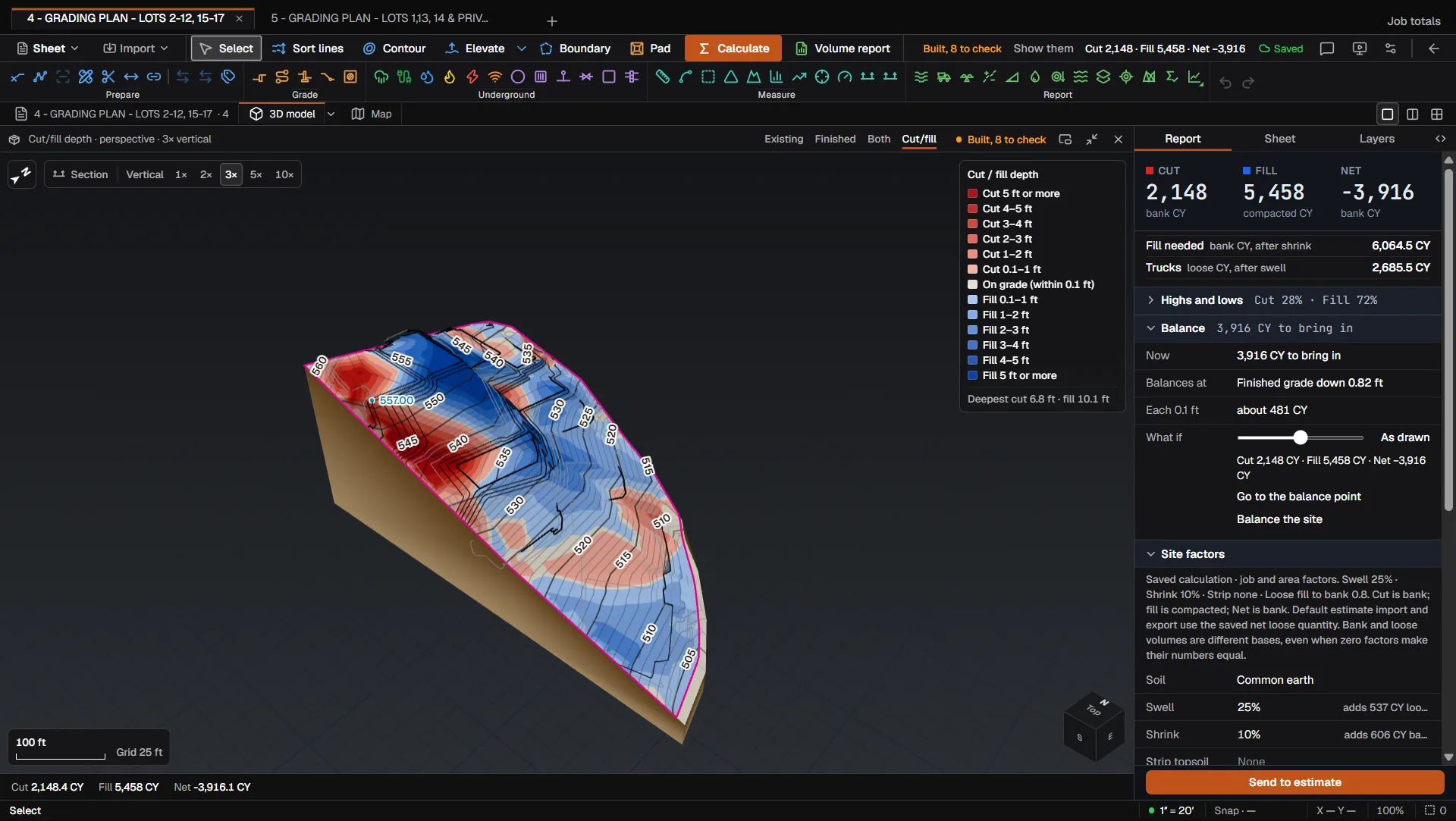
Try Bedrock if your bid sets come as PDFs, especially ones where the labels are drawn as lines, if your team works on laptops or Macs, or if you want the earthwork, paving, site concrete and utility trenches priced in one estimate. In Bedrock the quantities you pick (bank cut, fill, net import or export, strip, topsoil, fine grade, over-excavation, trench excavation, bedding) land on the job's estimate as line items labeled Earthwork Pro. Sending again after a revision never overwrites a line you've already priced, and the same estimate builds the proposal.
Test it against a Carlson job
The best test is a job you've already taken off in Carlson. Bring the grading PDF, or the DWG saved as DXF, into a 7-day Bedrock trial, let Earthwork Pro read the contours, draw the same limits and compare the cut and fill. How the PDF reading works is on the Earthwork Pro page.